Choose Falling Note if
- You want it on your iPhone or iPad.
- You want sheet music next to the falling notes, or want to scan a printed page.
- You want the notes lined up with a video of your own hands.
- You are fine with a subscription.
Falling Note turns any song into falling notes and sheet music on your phone, on a subscription. LumaKeys does falling notes on your Mac, for one payment, with recording and editing built in.
Falling Note is a phone-first app: paste a link, drop in a file, record, or scan a page of sheet music, and it turns the song into falling notes and engraved sheet music. It can line the notes up with your own piano video, and Pro is a weekly, monthly or yearly subscription. LumaKeys is a one-time Mac app for the same falling notes, built around keeping the piece: record your version with a MIDI keyboard or your computer keys, fix notes in a piano roll, transcribe piano audio on your Mac, and export a video up to 4K.
| Feature | Falling Note | LumaKeys |
|---|---|---|
| The basics | ||
| Price | Free, Pro $6.99 a week, $19.99 a month or $149.99 a year (App Store) | $79 one-time |
| Subscription | Yes, weekly, monthly or yearly, plus credit packs | None, pay once |
| Platforms | iPhone, iPad, Vision Pro, web; on Apple Silicon Macs as the iPad app (macOS 15.6+) | macOS, Apple Silicon and Intel, macOS 12 or later |
| Learn | ||
| Learn from falling notes | ||
| Loop, slow down, hands split | ||
| Sheet music next to the notes | — | |
| Scan printed sheet music | Pro | — |
| Audio to MIDI | From files, links and recordings | On your Mac, 5 on Free, unlimited on Pro |
| Make and keep | ||
| Record your playing | Video of yourself, notes detected by AI | MIDI keyboard or computer keys |
| Note editing | Yes, plus an AI assistant | Piano roll |
| Falling-note video export | Pro | 16:9 and 9:16, 60 fps, 4K on Pro |
| Notes synced to your own piano video | — | |
| MIDI export | Pro | |
| External piano plugins | Not listed | Pro |
Sources: Falling Note Falling Note on the App Store LumaKeys pricing

Play the piece on a MIDI keyboard or your computer keys and it becomes notes you can keep, per hand.

Fix a wrong note or a sloppy rhythm in the piano roll instead of playing the whole take again.
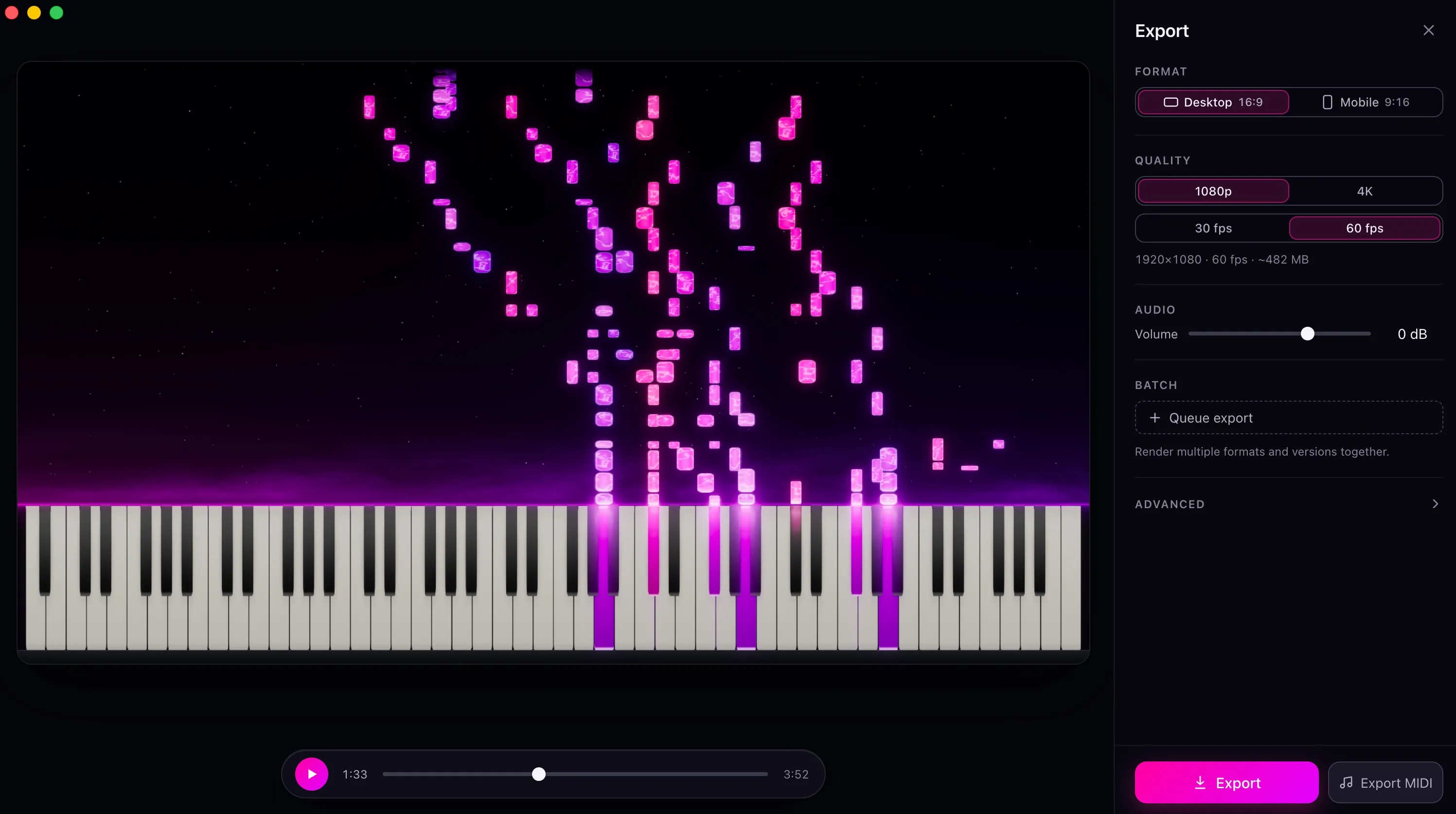
Export the piece as a falling-note video, 16:9 or 9:16, up to 4K at 60 fps, with your own look.
It takes almost anything as input: a file, a link, a recording, a photo or PDF of sheet music. Since version 2.0 it shows engraved sheet music next to the falling notes, and it can line the notes up with a video of your own hands.
It's on your phone, it moves fast, with updates every week or two, and it's popular: a 4.5 rating from 334 App Store ratings (November 2026).
Falling Note starts from a song you want to play. LumaKeys starts from the piece you're working on: learn it, record your own version, fix it in the piano roll, keep it in your repertoire, then export.
Falling Note Pro is a subscription, $149.99 a year at full price. LumaKeys Pro is one payment. On a Mac, Falling Note runs as its iPad app and needs Apple Silicon. LumaKeys is a Mac app that also runs on Intel Macs. LumaKeys has no sheet music.
Comparing more apps? See all Synthesia alternatives, or ask me.
Yes, on a Mac, if you want to pay once and want to record and edit your own versions. For iPhone or iPad, or for sheet music next to the notes, Falling Note is the pick.
Falling Note Pro is $6.99 a week, $19.99 a month or $149.99 a year on the App Store, with occasional discounts. LumaKeys Pro is $79 one-time, and Free never expires.
Yes, as its iPad app, on Apple Silicon Macs with macOS 15.6 or later. LumaKeys is a Mac app for Apple Silicon and Intel.
No. LumaKeys is built for falling notes and the piano roll. If you want sheet music next to the notes, Falling Note does that.
Not yet. LumaKeys runs on Mac, Apple Silicon and Intel. A Windows version is in progress, and iPhone and iPad come after that.
macOS 12 or later · On an Intel version?
Pro is $79, one payment. See all Pro features.