Wait for your playing
Let the piece follow you.
The piano app for self-taught pianists. Record, edit and export your playing as beautiful videos.
No account · No subscription
Learn your favorite music with falling notes. Slow down, loop, isolate the hands or wait for you to play.
Capture your ideas the moment they land and clean up mistakes afterwards.
Style your pieces so the visuals match the music.
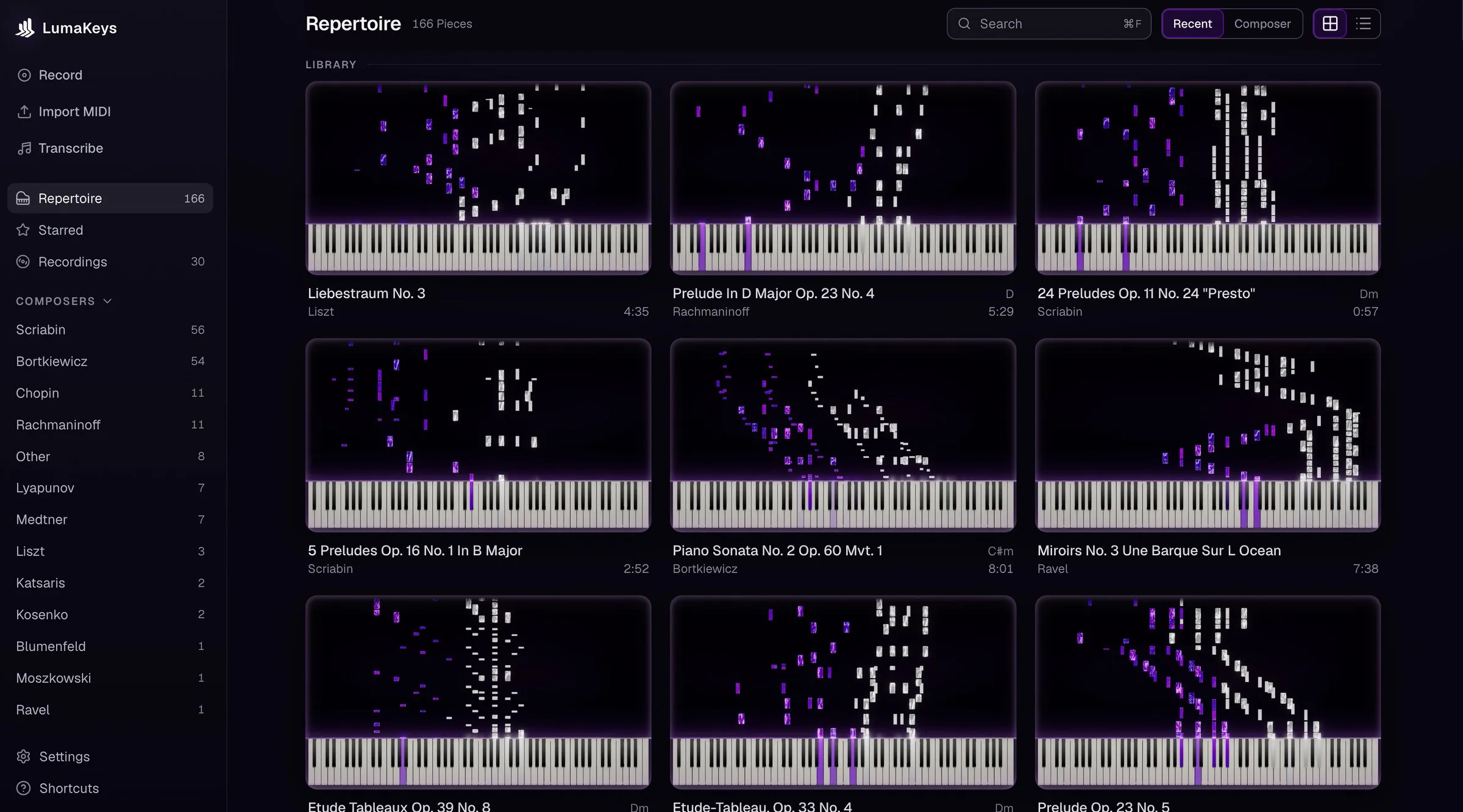
Everything you learn and record lives in your repertoire.
Transcribe your favorite piano pieces into MIDI, right on your device. Use any audio or video file, or transcribe directly from your microphone.
Let the piece follow you.
Slow down and loop until you’ve got it.
Use the built-in piano roll to view the whole piece.
Fix small mistakes without having to re-record everything.
Turn any piece into a beautiful falling notes piano video and share it with your followers.
Piano Sonata No. 2 Op. 60 Bortkiewicz 24 Preludes Op. 11 No. 1 Scriabin Etude Op. 25 No. 12 Chopin Sonetto del Petrarca 104 Liszt Etude-Tableau Op. 33 No. 4 Rachmaninoff
Learn any piece by watching the notes fall, then record your own version, shape every note, and turn it into something worth keeping.
love how easy the start up is, the UI interface is great. hope the library expands and hope there's sheet music in the future!
Perfect for practicing at your own pace!
Feels like the interactive version of the YouTube videos I used to learn Piano when i was 12. Im a big supporter of this project since the beginning.
Start with the free version or upgrade to Pro.
Limited time offer: $30 off Pro
$0
Every feature to get started.
What's included:
No credit card needed.
$69 , down from $99
Limited launch offer
Everything in Free, plus:
No account. No subscription.
A few years ago I started learning piano, but having no deeper musical background, no theory lessons and not being able to read sheet music makes things a lot harder.
I have been learning every piece from Synthesia and falling note videos on YouTube. But over time, the low quality and limited repertoire became an issue.
So I thought there had to be a better way to learn in the falling notes style. An app to help pianists learn faster, keep every piece in one place, record their performances and share beautiful visuals. So I built LumaKeys.
The piano app I wish I had when I started playing piano.
Not finding your answer? Ask me!
No. LumaKeys is a falling-note app that's focused on self-taught pianists that can't read sheet music.
No. You can also play and record with your computer keyboard.
Any piece you want - from a MIDI file, transcribed from audio or directly played by you.
Yes. Falling notes tell you which key comes next and when, so you can play from the first day without reading notation. Slow a piece down as far as you need, loop the bar that keeps breaking, and learn one hand at a time until it sits.
Synthesia is mainly the falling notes. LumaKeys gives you all the tools around it - transcription, editing, video export and organizing all in one place.
Free is the full app with caps: 10 imported pieces at a time, 5 transcriptions, and 1080p export with a small watermark. Pro lifts all of them: unlimited pieces and transcriptions, 4K export with no watermark, and Pianoteq or Vienna Synchron (AU) for playback. VST3 comes with the Windows version. Going back to Free never deletes anything you made.
Pro costs $69 for a limited time, then $99. You don't need any account and there is no subscription - you buy it once and you own it forever.
The app will get updates and new features regularly, both for Free and Pro users.
Not yet, but I'm already working on it!
Once Mac and Windows are covered, there will be an iPhone and iPad version.
No. The transcription runs locally and offline on your machine.
Yes. Playing, recording, editing, transcribing and exporting all run on your Mac with no connection. The app only goes online to download the app itself, to buy and occasionally re-check a Pro licence, to fetch the optional HQ piano samples, and to check for updates.
macOS 12 or later · On an Intel version?
Pro is $69 for a limited time, then $99. See all Pro features.