Choose Anything Piano if
- You are on iPhone or iPad.
- You play an acoustic piano and want the app to listen through the microphone.
- You want a piano version of songs that have no piano in them.
- You want finger labels on the notes.
Anything Piano turns any song into a piano roll on your iPhone. LumaKeys does that for piano recordings on your Mac, and adds recording, editing and video.
Anything Piano is a learning app for iPhone and iPad: paste a YouTube link or upload a song, its AI builds a piano roll in a minute or a few, and the app listens through the microphone while you play. It waits for your notes, splits the hands and labels the fingers. LumaKeys does the transcription on your Mac, and around it you get recording, a piano-roll editor, a library for every piece, and video export in your own look.
| Feature | Anything Piano | LumaKeys |
|---|---|---|
| The basics | ||
| Price | Free, Pro $24.99 a month or $179.99 a year | $69 for a limited time, then $99 |
| Subscription | Yes | None, pay once |
| Platforms | iPhone, iPad | macOS, Apple Silicon and Intel |
| Learn | ||
| Falling notes, no sheet music | ||
| Wait mode | Microphone or MIDI | MIDI keyboard or computer keys |
| Loop and slow down | ||
| Hands separate | ||
| Finger labels | — | |
| Audio to MIDI transcription | Any song or link, in the cloud | Piano recordings, on your Mac |
| Create and share | ||
| Record your playing | Live audio, as a song source | MIDI or computer keys, per hand |
| Piano-roll editing | — | |
| Video export | — | 16:9 and 9:16, 60 fps, 4K on Pro |
| Repertoire library | Your songs in the app | Pieces and recordings, by composer |
| External piano plugins | — | Pro |
Sources: Anything Piano Anything Piano on the App Store LumaKeys pricing

Play it in from a MIDI keyboard or your computer keys, per hand, and keep every take in your library.

Every note is editable in the piano roll, whether you played it or the transcription found it.
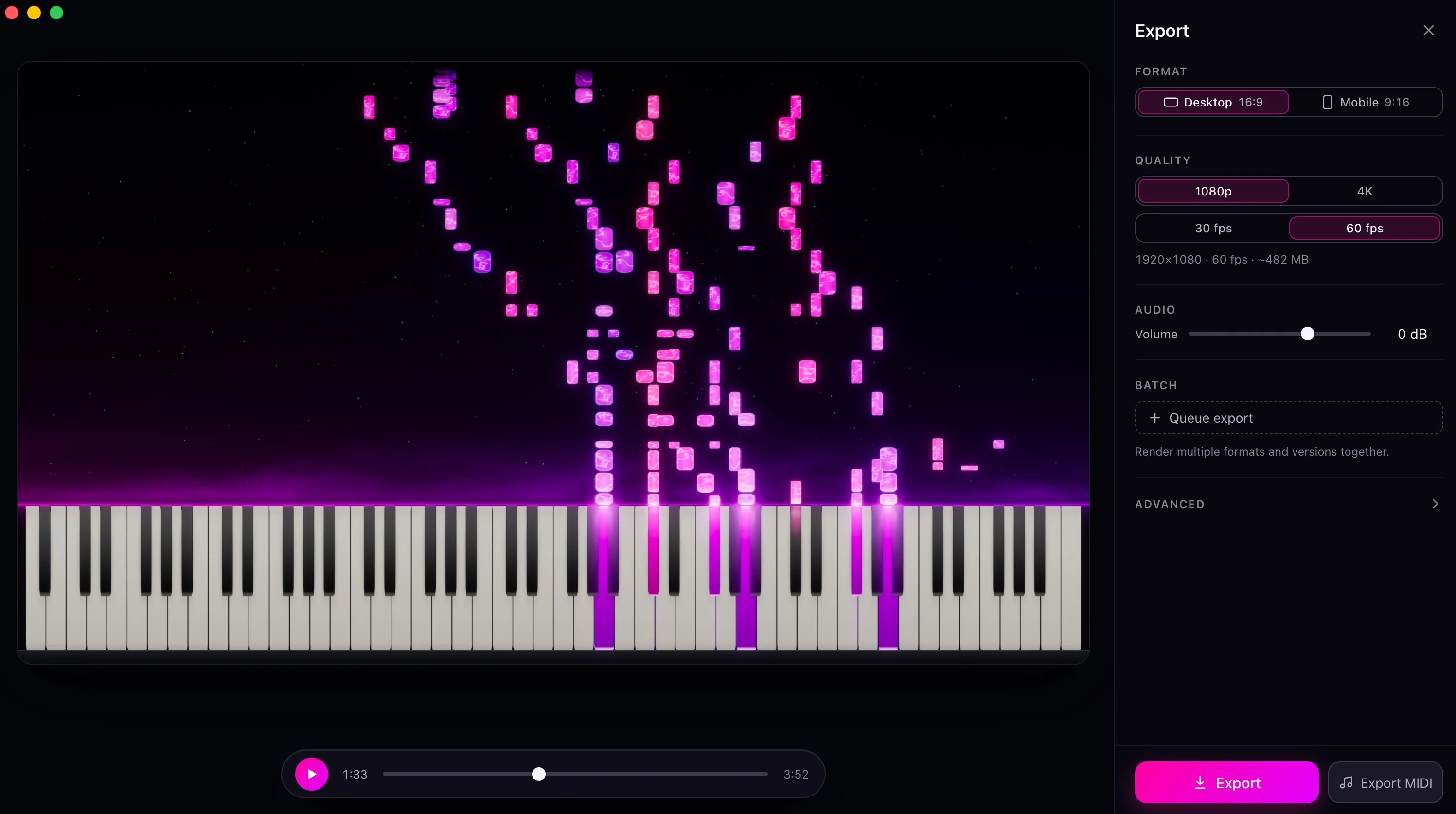
Choose a look and export up to 4K at 60 fps for YouTube, TikTok, or Reels.
It handles songs that have no MIDI file. Paste a link, and a minute later there's a piano roll to play along to. If the recording has no piano in it, the app builds a piano version anyway.
It listens through the microphone, so it works at an acoustic piano with nothing plugged in, and it runs on your phone. It has a 4.8 rating from 100 App Store ratings (September 2026).
The transcription happens on their servers, and the piano roll is for playing along. Your practice is scored, but there's no MIDI take of your own playing, no way to edit notes, and no video at the end.
It's a subscription, and the songs you added live inside it.
Comparing more apps? See all Synthesia alternatives, or ask me.
On Mac, yes. Both turn recordings into falling notes you can learn from. LumaKeys transcribes on your Mac and adds recording, piano-roll editing, a library, and video export.
No. Anything Piano is iPhone and iPad only. Android and web are on a waitlist.
No. LumaKeys transcribes audio or video files you have, or a recording from your microphone, and the transcription runs on your Mac. Nothing is uploaded.
Not while you practice. LumaKeys follows a MIDI keyboard or your computer keys. In Transcribe you can record your acoustic piano through the microphone and turn the take into editable notes, on your Mac.
Anything Piano Pro is $24.99 a month or $179.99 a year. LumaKeys Pro is $69 for a limited time, then $99, once, and Free never expires.
macOS 12 or later · On an Intel version?
Pro is $69 for a limited time, then $99. See all Pro features.