
LumaKeys vs Synthesia

Synthesia gets you started.
LumaKeys is everything after.

Synthesia pioneered learning piano from falling notes instead of sheet music, and two decades later it's still a great way to get started. LumaKeys is a modern Mac app for the same kind of pianist, built for everything after the first lesson: learn a piece, record and edit your own version, transcribe piano audio to notes, keep your repertoire in one place, and export it as a beautiful video worth posting.

Short version: if you want the cheapest way to start learning songs on any device, pick Synthesia. If you're on Mac and want one app for your whole piano life — from first note to final video — pick LumaKeys.

By Ramon · Founder of LumaKeys · Self-taught pianist Published Updated

Which one fits you?

Choose Synthesia if…

  • You want the cheapest way in ($39, one-time).
  • You're on Windows, iPad, or Android — or want it on every device.
  • You want structured practice with progress tracking and finger hints.
  • You want an optional sheet-music view next to the falling notes.

Choose LumaKeys if…

  • You're on Mac and want one app for your whole piano life.
  • You want to record, edit, and reshape your own versions — not just play along.
  • You want beautiful, customizable visuals and 4K social-ready video export.
  • You want to turn a piano recording into editable notes (audio → MIDI), on-device.
  • You care how your music looks and sounds, not just whether you hit the right keys.
Get early access

The beta is open now. Testers get every Pro feature free and lock the $69 founding price.

The honest comparison

Feature Synthesia LumaKeys
The basics
Price $39 one-time $69 founding · $99 regular
Subscription None None
Platforms Windows · Mac · iOS · Android macOS (Apple Silicon)
Learn
Learn from falling notes, no sheet music
Loop & slow-down practice
Hands-separate practice
Progress tracking & finger-numbers
Optional sheet-music view
Song library 150 + store + any MIDI Curated set + any MIDI or audio
Create & keep
Repertoire library (your pieces, organized)
Record your playing Basic multitrack MIDI or computer keys, per-hand
Piano-roll editing
External piano plugins (Pianoteq, VSL) Pro
Make it beautiful & share
Customizable visuals & one-tap looks
Video export for social (4K/60, 9:16, 4:5) Windows only, basic AVI 4K/60, all formats
Audio → MIDI transcription, on-device Test on Free

Compared July 2026. "Synthesia" here is the piano-learning app at synthesiagame.com.

Sources checked 12 July 2026

Synthesia features Synthesia price, license, and platforms Synthesia downloads and Video Creator LumaKeys pricing and limits

Ramon at his piano

Why I built it

Like a lot of people, I learned most of my pieces from scattered Synthesia-based videos on YouTube — Scriabin, Rachmaninoff, Chopin. No sheet music, no teacher.

The original Synthesia app opened this door around twenty years ago: a whole new way to learn piano without reading a note. It's twenty years old now, so it's no surprise a lot of it feels dated, and it was never really built to be beautiful.

After a while, my playing outgrew the way I was learning. That got me thinking about how to fix it — first just for myself, but it quickly made sense that the same tool would help thousands of other pianists who learn the way I do. Nobody had built one app for this kind of pianist from beginning to end: the self-taught, visual learner who can't read sheet music and needs a single tool for the whole journey — recording, full control over editing, your favorite external piano plugins, a piano roll as an alternative view, beautiful VFX, and rendering videos to share.

Over the years other falling-note apps like SeeMusic and Embers came up, but their focus sits only on the visual side. With LumaKeys I've tried to capture the whole process — from first note to final video — in one modern, creative app for pianists.

Ramon · Founder of LumaKeys
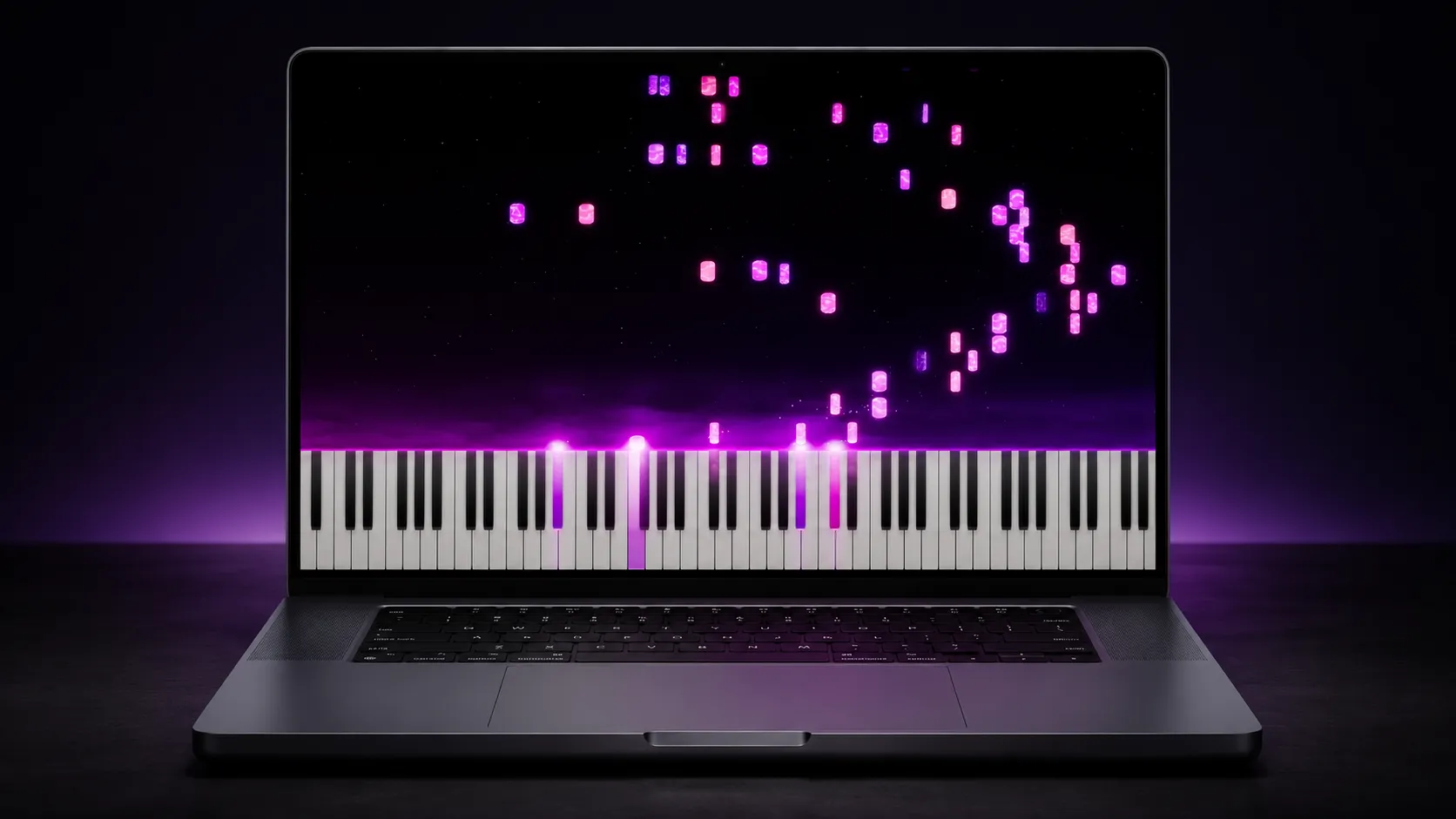
Everything after the falling notes

Learn

Falling notes with note names, hand colors, and octave guides — no sheet music.

Make it yours

Record, improvise in a locked scale, and reshape every note in the piano roll.

Keep it

Every piece, take, and video organized by composer, a search away.

Share it

One-tap looks and export up to 4K in any format for YouTube, TikTok, and Reels.

Questions & answers

Is LumaKeys a Synthesia alternative?

Yes — for Mac. It's built for the same self-taught, falling-note pianist, and goes further: recording, editing, audio-to-MIDI, a repertoire library, and 4K video export in one app.

Does LumaKeys run on Windows?

Not yet. LumaKeys is Mac-first (Apple Silicon) for now. Synthesia is the better pick if you need Windows, iPad, or Android.

Is LumaKeys cheaper than Synthesia?

No — LumaKeys Pro is $99 one-time. The free beta is open now, and beta testers lock the $69 founding price. Synthesia is about $39. Both are one-time purchases with no subscription. The difference is scope: Synthesia teaches you a song; LumaKeys is a whole studio — learn, record, edit, transcribe, organize, and export beautiful video.

Can I bring my own audio or MIDI into LumaKeys?

Yes. Drop in any MIDI file or a piano recording, and it becomes a playable, editable, beautiful piece in your library.

Can Synthesia export videos for TikTok or Reels?

Only on Windows, as a basic AVI of plain falling notes. LumaKeys exports up to 4K/60 in vertical and square formats, with customizable particles, shaders, and materials, on Mac.

Join the LumaKeys beta now.

Privacy

One-time purchase · No subscription